



Peak trading puts every part of your Shopify store under greater pressure. Traffic increases, marketing spend rises, product ranges change more frequently and customers have less patience for a slow, broken or confusing journey.
Completing a Shopify store audit before peak helps you identify these problems before they begin costing you sales. It allows you to assess the general health of your website, check that your store is ready for increased activity and understand whether you are getting the most from your marketing spend.
More traffic will not solve a broken customer journey. If an advert sends customers to an unsuitable landing page, products are difficult to find or important information is missing at checkout, increasing your budget may simply send more people towards the same problems.
Readiness is not only about website performance, either. Your Shopify setup, product data, merchandising tools, integrations and internal processes all need to support the faster pace of peak trading.
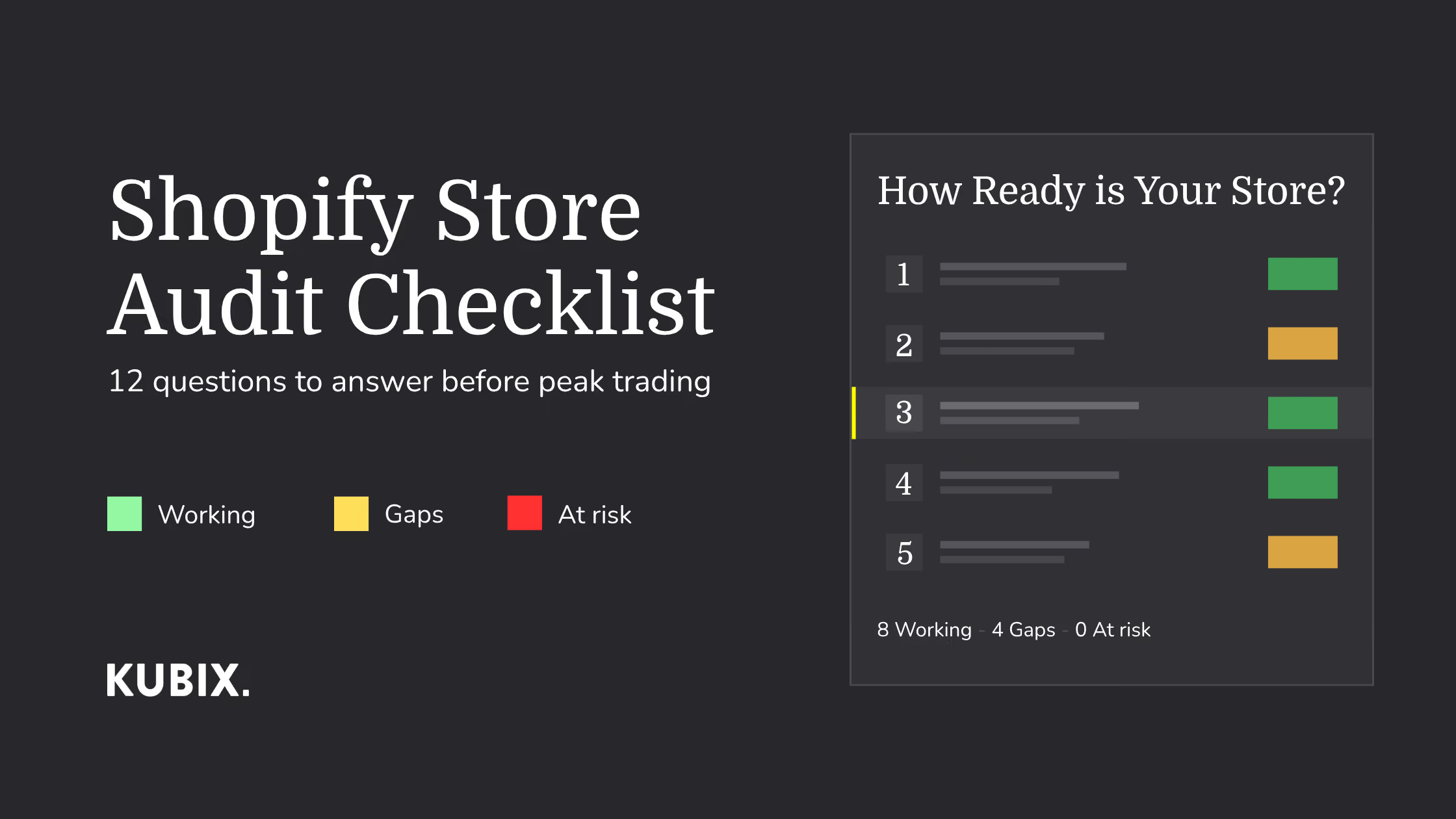
The Kubix Shopify audit checklist covers 12 questions across discoverability, paid media, UX, retention, tracking, accessibility and technical operations.
What Types of eCommerce Website Audits Should Shopify Stores Carry Out?
A complete Shopify audit is rarely one single exercise. It brings together several specialist audits, each examining a different part of the customer journey, storefront and wider eCommerce operation.
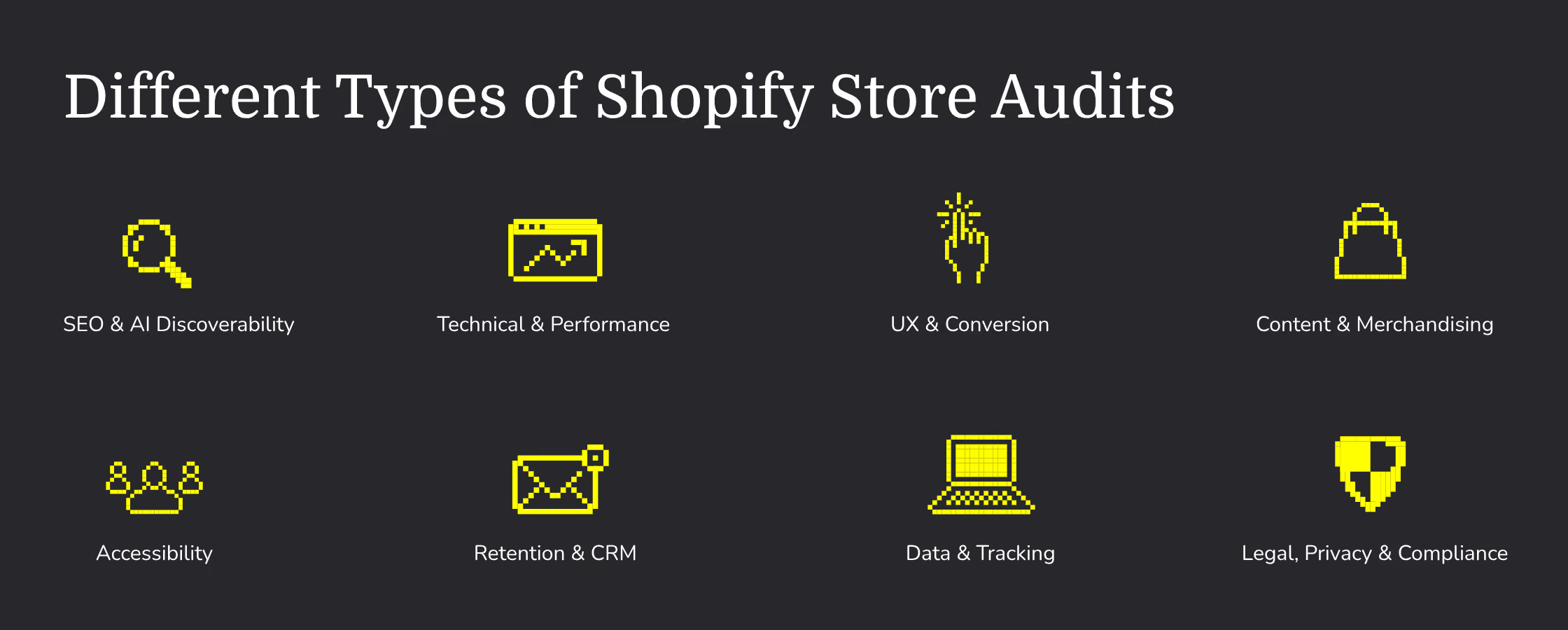
The main types of Shopify website audit include:
- SEO and AI discoverability audit: Reviews whether search engines and AI platforms can access, understand and recommend your products. This includes indexation, metadata, internal linking, product naming, structured data, content and product feeds.
- Technical and performance audit: Identifies problems affecting the performance or reliability of your storefront, including broken links, redirect chains, Core Web Vitals, theme code, app scripts, integrations and functionality such as search, filters and add-to-cart actions.
- UX and conversion audit: Uses analytics, heatmaps, session recordings and customer feedback to understand how people use your store. It should assess navigation, product discovery, landing pages, product pages, the basket and checkout journey.
- Content and merchandising audit: Examines whether product, collection and editorial content is accurate, useful and easy to manage. It can uncover duplicated or outdated information, underperforming pages, content gaps and merchandising processes that become difficult to maintain during peak.
- Website accessibility audit: Checks whether customers with different access needs can navigate, understand and purchase from your store. Testing should cover keyboard navigation, focus states, colour contrast, headings, image alt text, form labels, error messages, pop-ups and screen-reader compatibility. WCAG 2.2 provides the recognised technical framework for assessing web accessibility.
- Retention and CRM audit: Reviews whether important email and SMS flows are triggered correctly, appropriately segmented and aligned with the customer journey. This includes welcome, abandonment, post-purchase, replenishment, loyalty and win-back communication.
- Data, tracking and attribution audit: Checks whether important customer actions and transactions are being recorded accurately across Shopify, analytics platforms, advertising channels and retention tools.
- Legal, privacy and compliance audit: Reviews cookie and tracking consent, privacy information, marketing opt-ins, promotional terms, delivery and returns information, subscription conditions and any accessibility requirements applying in the markets where the brand trades. The ICO’s cookie guidance is a useful starting point for UK businesses, while brands selling into the EU should assess whether the European Accessibility Act applies to them.
How to Use This Shopify Audit Checklist Before Peak Trading
Work through each of the 12 questions and rate your Shopify store as green, amber or red:
- Green: The area is working correctly and you have evidence to support that conclusion.
- Amber: The foundations are in place, but there are gaps, inconsistencies or limited evidence.
- Red: Something is broken, missing or creating a material risk to sales.
Do not treat every red result as an instruction to start development immediately.
Some problems can be corrected quickly, while others require design, development, testing or wider operational changes. Each finding should be assessed according to its potential commercial impact, the confidence you have in the evidence and the time required to deliver and test a solution.
As a Shopify Platinum agency, Kubix audits customer journeys across development, UX, CRO, SEO, paid media and retention. Our experience has shown that the most useful audits do not produce an enormous list of disconnected recommendations. They identify the changes that are most likely to make a commercial difference and put them in a realistic order.
Complete the audit early enough to investigate the findings, deliver priority changes and observe how customers respond before your busiest campaigns begin.
Auditing How Customers Discover Your Shopify Store
Before reviewing what happens on your website, you need to understand how customers are finding it.
A technical crawl can identify broken links, redirect chains, missing metadata, structured data problems and pages that search engines may struggle to access. Tools such as Screaming Frog are particularly useful here, although Shopify stores require the right configuration to produce reliable results.
Our guide explains how to crawl a Shopify store with Screaming Frog, including Shopify crawl signatures, crawl speeds, sitemaps, structured data and reporting.
Running this crawl before peak gives your team time to correct broken journeys and technical errors before more customers begin arriving.
1. Can Customers Find Your Products Through Organic Search?
Start by reviewing whether your commercially important products and collections can be found through organic search.
Product naming conventions should reflect the language customers use, rather than relying entirely on internal terminology or product codes. Titles, H1 headings, URLs, collection names and product descriptions should clearly explain what each product is and who it is for.
Your Shopify audit should check:
- Whether priority products and collections are indexed
- Product titles and naming conventions are descriptive and useful
- Page titles and meta descriptions are optimised for search
- H1 and subheading structure follows correct SEO header hierarchy
- Collection descriptions and supporting content are optimised for search
- Internal links between related products, collections and guides and working
- Canonical tags and duplicate URLs
- Redirects from discontinued products are redirected to an appropriate page
- Broken internal links are fixed and redirected
- Out-of-stock product handling is optimised for peak
- Back in stock notification
- Shopify self-serve returns
- Product and variant structured data
Product structured data can help Google understand details such as price, availability, reviews and variants, making products eligible for richer search appearances. Shopify themes generally include schema markup, but custom theme changes and apps can sometimes create missing, duplicated or conflicting information. This should be tested rather than assumed to be correct. Google provides specific guidance on product structured data.
SEO also extends beyond product pages. Collection pages, buying guides and informational content can help your brand appear earlier in the decision-making process, particularly when customers are still deciding what to buy.
2. Can AI Platforms Understand and Recommend Your Brand, Shopify store and Products?
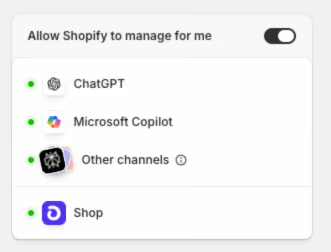
Customers are increasingly using AI tools to explore, compare and shortlist products. Agentic commerce gives brands the ability to surface products and content through AI searches, whilst customers get a faster, more tailored shopping experience based on their input.
Instead of searching for one specific item, they might ask for multiple or add specific terms to their search such as delivery availability or sizes. A couple of examples of searches could be; “the best gifts for a dad who loves golf” or “find me a black dress available for next day shipping”.
AI shopping experiences such as ChatGPT product discovery are designed to help shoppers compare products using information such as price, reviews, features and availability. To give your products the best chance of being understood, that information needs to be accessible, current and consistent.
Your audit should review:
- Whether AI and search crawlers can access important pages
- Product names, categories and descriptions are descriptive of your product
- Prices, availability and variant information is accurate
- Product identifiers and brand information
- Images and descriptive image alt text are descriptive
- Structured data and product feeds are setup correctly
- Delivery, returns and warranty information
- Reviews and useful supporting content
- Whether important product information is hidden behind scripts or interactions
Structured data is useful, but it should not be treated as the only requirement for AI visibility. AI platforms also need clear product information, accessible pages and content that genuinely helps shoppers make decisions.
This is where unique, experience-led content can support discovery. A collection of golf gifts could become a guide to the “10 Best Gifts for a Golf-Loving Dad”, but the content needs to offer more than a list of product descriptions.
Give the writer time with the products wherever possible. First-hand observations about quality, use, fit, packaging or who the product would suit can make the guide more useful and help readers reach a decision more quickly. That specificity also gives search engines and AI platforms more meaningful information than content produced by simply rewording a product feed.
3. Is Your Paid Media Reaching the Right Audiences With the Right Message?
Paid media becomes more competitive during peak, which makes it important to understand what is working before costs increase and peak season starts.
Your peak campaigns should not be the first time a new audience, offer or creative direction has been tested. The months before BFCM should be used to test messages, formats, hooks, products and landing pages. Those findings can then inform the campaigns that receive greater investment during peak.
Rather than going off gut instinct and opinions, use the data from previous campaigns and current tests to understand your strategy and where your investment is best spent when running paid marketing throughout peak seasons.
Our recent article explains why ad creative has become one of the biggest performance variables for eCommerce paid ads. This is especially important when it comes to peak trading, as paid marketing platforms take on more of the targeting and delivery, the quality of the creative, data and landing-page experience becomes increasingly influential.
Audit whether:
- Creative has been tested across different messages and formats
- Campaigns address specific customer motivations
- Product benefits and proof points are clear
- Audiences are being segmented appropriately
- Existing customers are excluded where necessary
- Retargeting windows reflect the buying cycle
- Creative fatigue is being monitored
- Stock and margins can support the promoted products
- Landing pages continue the promise made in the advert
Retargeting can be particularly valuable before and during peak because these customers have already interacted with your brand. They may have visited a product, joined your mailing list, watched a video or added something to their basket. Because the audience is already familiar with the brand, these campaigns can often convert more efficiently than activity aimed entirely at new customers.
However, most competitors will also be increasing spend and promoting discounts. Consider whether your brand can create additional value through loyalty rewards, member-only access, gifting packages or product bundles.
Where stock levels and brand positioning allow, surplus products or particular sizes could be grouped into a clearly explained mystery bundle. This can create a stronger perception of value without applying a blanket discount across the entire catalogue, while giving customers products they can keep or gift individually.
Auditing the On-Site Customer Journey on Shopify
Once someone reaches your store, the website needs to continue the journey that brought them there.
Tools such as Microsoft Clarity can then provide heatmaps and session recordings showing how customers really interact with the store. These findings should be combined with Shopify, Google Analytics, Google Search Console, paid media and retention data to build a more complete view of the customer journey.
4. Does Your Campaign Messaging Continue Onto the Landing Page?
A customer should not have to work out whether they have arrived in the right place.
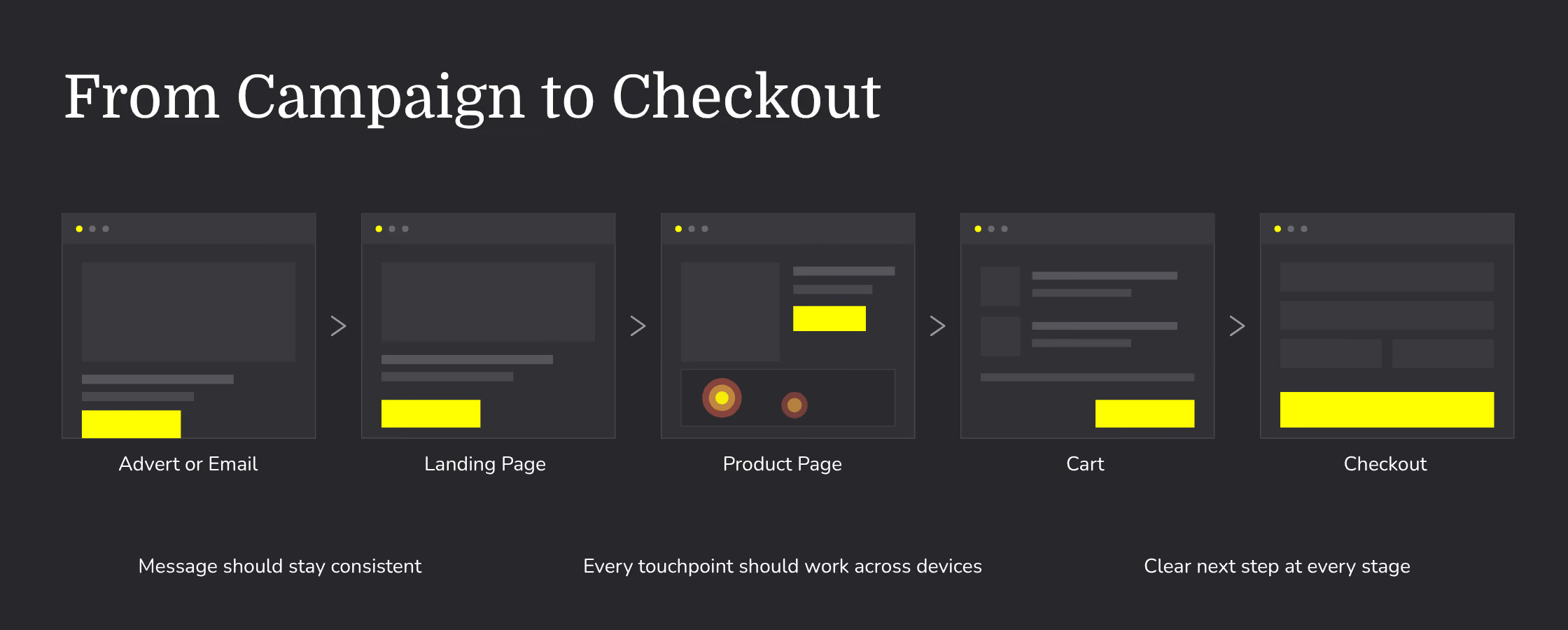
If an advert promotes a particular offer, benefit, product range or delivery promise, the landing page needs to reinforce it immediately. A disconnect between the advert and website creates uncertainty and can waste the attention the campaign has already earned.
Check whether:
- The advertised product or offer is immediately visible
- Campaign language continues onto the landing page
- Discount codes are applied or explained correctly
- Promotional terms are easy to find
- Relevant stock is available
- Delivery promises are accurate
- The most important information appears early on mobile
- Tracking parameters and campaign links work correctly
Test every important campaign journey from advert or email through to purchase. This should include different devices, browsers, payment methods and customer states.
If an ad campaign promotes “gifts under £50”, for example, it should lead to a useful, merchandised collection where those products are genuinely available. Sending customers to the homepage and expecting them to find the promotion creates avoidable friction.
5. How to Improve Shopify Store Loading Speed
It goes without saying that a fast website experience can lead to increased sales. During peak trading periods, increased traffic can quickly fall off and become lost or abandoned checkouts if your website loading speed is slow.
Modern merchandising relies on high-quality imagery and video. If a high value furniture brand has blurry images and videos that don’t load efficiently, the shopping experience won’t match the rest of the brand and will start to hurt sales.
Rich product galleries, lifestyle photography, video and interactive features are not indulgences. They do real work in converting browsers into buyers and should be optimised properly.
The instinct, when a speed report flags large images or video, is to strip that content back. In our experience that is usually the wrong move. You end up protecting a headline score while quietly removing the very things that were helping people buy. The better approach is not to use less rich content, but to be deliberate about how and when it loads.
A few principles we apply:
- Load what matters first. The main product image and the top of the page should appear almost instantly. Secondary gallery images, video and content further down the page can load a moment later, as the customer scrolls towards them. The visitor never notices the difference, but the initial load feels immediate.
- Serve the right size for the device. A phone does not need to download a desktop-sized image. Sizing images correctly for each screen is often the single biggest speed improvement on an image-heavy product page, with no visible loss of quality.
- Compress before you upload. Shopify automatically delivers images in efficient, modern formats behind the scenes, but it does not heavily compress oversized files for you. A 5MB image straight off a product shoot is still a 5MB problem. Optimising files before they go live keeps quality high and weight low.
- Be intentional with video. Autoplaying video has its place, but it is heavy. Loading video only when a customer chooses to play it, or as they reach it on the page, keeps the experience rich without slowing the first impression.
- Audit your apps and features. Every app, script and integration adds weight, whether or not it is being used. Reviewing what is genuinely earning its place is often where the quickest wins are found.
Done well, none of this asks you to compromise on the experience. It simply means the store works harder in the background so the customer never has to wait for the parts that matter.
.avif)
6. Can Every Customer Navigate and Use Your Shopify Store?
Your Shopify store should be accessible so people can navigate your site and purchase products. General navigation can be audited and optimised, but what a lot of brands can often miss is accessibility across different devices and for users with disabilities.
Whilst we’re talking broadly about preparing your Shopify store for peak trading, accessibility should be a priority at all times for business owners.
Making your store accessible is, first and foremost, the right thing to do. The internet is where a huge amount of everyday life now happens, from shopping to banking to staying connected, and everyone deserves to take part in that on equal terms. When a store cannot be used by someone with a visual impairment, or someone who navigates by keyboard rather than a mouse, or someone relying on a screen reader, that person is effectively being shut out.
It is also worth remembering how many people this touches, and that it is not only a fixed group. Accessibility helps someone with a permanent disability, but it also helps the person with a temporary injury, the customer squinting at their phone in bright sunlight, and the shopper trying to check out one-handed while holding a child. Building a store that works for people in difficult circumstances tends to mean building a store that works better for everyone.
There are, of course, other benefits. Accessible stores are often easier to find in search, have better SEO coverage, reach a wider audience, and in many cases meet legal obligations that apply to businesses trading online. Countries around the world have accessibility laws like Americans with Disabilities Act (ADA) and the European Accessibility Act (EAA), with non-compliance leading to potential legal action.
Those things are real, and they matter. But they are not the reason to do it, and we would encourage you not to treat them as such. The reason is simply that your customers are people, all of them, and a store that only serves some of them is not finished.
Accessibility covers things like sufficient colour contrast so text is readable, descriptive alternative text on images, captions on video, a layout that can be navigated by keyboard, and clear, logical structure that a screen reader can make sense of. None of it requires you to compromise on how the store looks or how it sells. It simply means the experience you have designed is available to everyone who wants to use it.
The Web Content Accessibility Guidelines (WCAG), developed by the World Wide Web Consortium, are technical standards that help make the digital world accessible to people with disabilities. WCAG isn’t a law, but is a standard businesses should follow when taking steps towards making their Shopify stores more accessible. The Shopify checkout is built to WCAG 2.2 Level AA standards, but business owners should take extra steps and follow WCAG guidelines to ensure their website is accessible and compliant. A simple colour change that fails WCAG 2.2 AA contrast can still break accessibility within the checkout.
Your Shopify accessibility and UX audit should review:
- Main navigation, mobile menus and skip links
- On-site search, filters, sorting and product recommendations
- Product options and variant selectors
- Navigation across devices, logical focus order and visible focus states
- Heading structure and the order in which content is presented
- Colour contrast, text readability and information communicated through colour
- Descriptive links, buttons and image alt text
- Form labels, instructions and useful error messages
- Pop-ups, cookie banners, drawers and other interactive elements
- Screen-reader compatibility across important shopping journeys
- Captions and transcripts for relevant video or audio content
- The ability to zoom and reflow content without losing information or functionality
- Gift, seasonal and budget-based collections
- Routes away from out-of-stock products and empty search results
- Landmark regions
Pay particular attention to the complete journey. A customer may be able to open a product page but still be prevented from selecting a variant, using a filter, dismissing a pop-up, understanding a form error or completing their purchase.
Important journeys should also be tested manually using a keyboard and common screen-reading technology. Where possible, testing should involve people with different access needs.
At Kubix, we test, build and design Shopify stores with accessibility in mind from the outset and are constantly evolving our internal knowledge when it comes to building website experiences that are genuinely accessible by everyone. Our quality assurance testing includes manual testing for keyboards only navigation, screen readers and that the website can be navigated using the tab button.
Whether you’re working with a Shopify agency or have internal teams working on the website, it’s important to check whether they’re following the correct accessibility standards.
7. Do Your Product Pages Answer the Questions Preventing a Purchase?
Product pages need to do more than display an image, price and add-to-cart button. They need to resolve the questions that could prevent someone from buying.
Depending on your industry, product and brand positioning, what you have on your product pages will vary, but everything on that page should lead towards visitors making an informed purchase.
Customers may need information about:
- Size, fit or dimensions
- Materials and care
- Compatibility
- Delivery dates and costs
- Returns
- Availability
- Product benefits
- Reviews and social proof
- Guarantees or warranties
- Personalisation
- What is included
- How the product compares with alternatives
Review customer service queries, product reviews, on-site search data and returns reasons to identify information that may be missing.
Product data should also be easy for your internal team to manage at scale. During peak, adding a new product or changing promotional messaging should not require someone to update large numbers of pages manually.
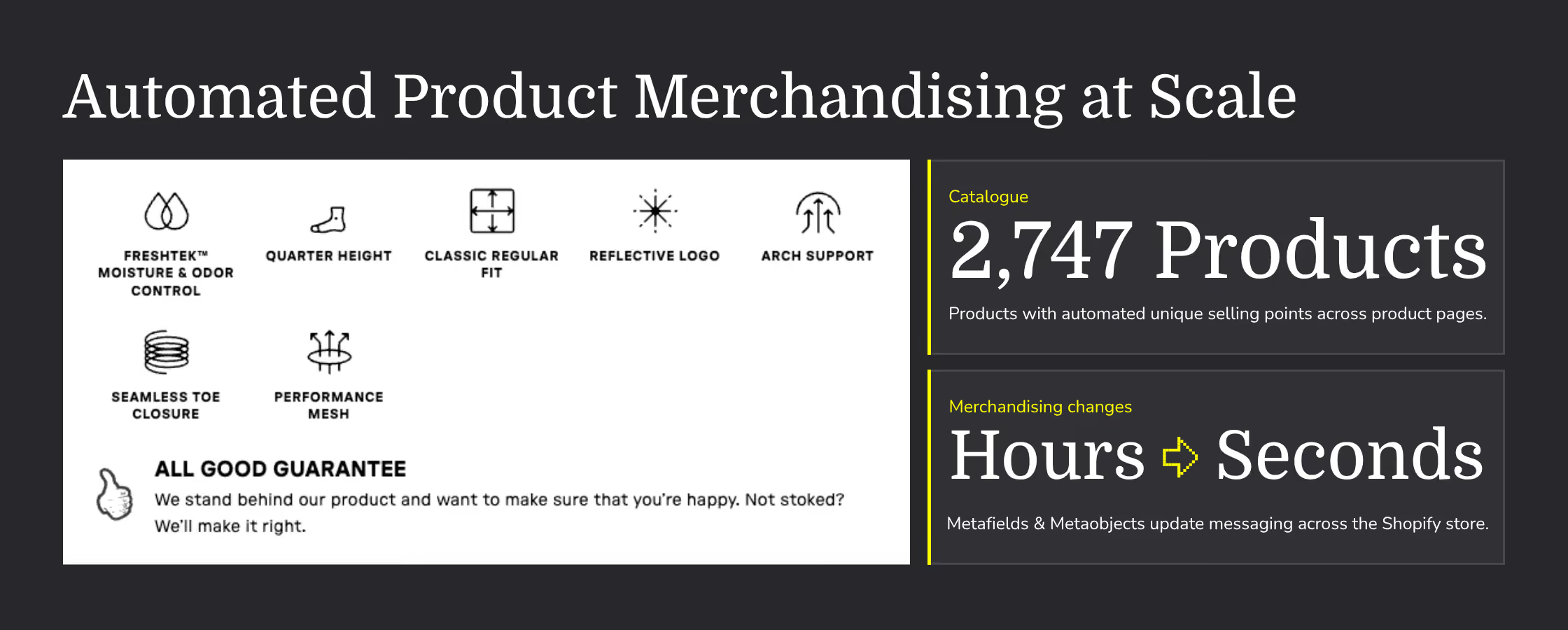
When Kubix migrated Stance from Salesforce Commerce Cloud to Shopify Plus, we used Shopify Metafields and Metaobjects to automate benefit-led icons and product USPs across a catalogue of 2,747 products. This allowed product messaging to appear consistently without the team manually editing every product, reducing merchandising changes that previously took hours to seconds. You can read more in the Stance Shopify Plus migration case study.
That kind of structured approach becomes particularly valuable during peak, when stock, products and campaigns can change quickly.
8. Is There Avoidable Friction in the Cart or Shopify Checkout?
Small checkout problems become much more expensive when order volumes increase.
Complete test transactions before peak using different devices, delivery addresses, discount codes, logic and payment methods. Do not stop once an order has been placed. Test the operational journey through payment capture, fulfilment, cancellation, refund and customer communication.
What to review before peak:
- Discount and promotional code behaviour
- Automatic discounts
- Gift cards
- Free delivery thresholds
- Shipping rates and delivery estimates
- Express payment methods
- Address entry and autofill
- Guest checkout
- Cart and checkout messaging
- Clear pricing and subscription terms
- Gift notes and personalisation
- Inventory updates
- Order confirmation emails
- Refund and cancellation processes
- Returns information
Pay close attention to combinations. A discount may work on its own but fail when used alongside a bundle, subscription, gift card or automatic promotion.
Returns, delivery and payment information should also be easy to find before checkout. If customers only discover an unexpected cost or restriction at the final stage, they are more likely to abandon the purchase.
Auditing Retention, Tracking and Attribution
Peak can bring a large number of first-time customers to your Shopify store. The value of those customers depends partly on what happens after the initial order.
Your retention and tracking systems should already be collecting reliable data and moving customers into appropriate journeys before activity increases.
Once peak shopping season kicks in, consumer inboxes are filled with offers, discounts and verification codes. Changing up these flows during the holiday season is important as you want to set yourself apart from your competitors whilst welcoming first time buyers.
9. Are Your Most Important Retention Flows Live and Working Correctly?
Retention flows often run quietly in the background, which makes it easy to assume they are working. Before peak, test the actual triggers, content, links, discounts and exclusions within each important automation.
As mentioned previously, during peak trading seasons, it’s worth updating your core flows to reflect any promotions and seasonal branding.
Klaviyo flows to audit before peak trading:
- Welcome flows
- Browse-abandonment flows
- Cart-abandonment flows
- Checkout-abandonment flows
- Back-in-stock notifications
- Post-purchase communication
- Review requests
- Product replenishment
- Cross-sell and upsell flows
- Win-back campaigns
- Loyalty and reward communication
Browse, cart and checkout abandonment should not send the same message. Someone who viewed a product needs a different prompt from somebody who began checkout and may have encountered a specific concern.
Check that messages show the correct products, prices and availability. Confirm that discounts still work, links contain the right tracking and customers are not receiving overlapping or inappropriate communications.
Peak retention should also extend beyond recovering an abandoned basket. Consider how first-time gift buyers will be welcomed after purchase and how you can introduce them to the wider brand without immediately relying on another discount.
Post-purchase content, product education, loyalty benefits, replenishment reminders and relevant recommendations can all help turn seasonal acquisition into longer-term customer value.
10. Can You Trust Your Shopify Tracking, Consent and Attribution?
Alongside checking whether events and revenue are recorded correctly, the audit should establish whether cookies, pixels and tracking technologies behave according to the choices customers make.
Review whether:
- Cookies and tracking technologies are correctly categorised
- Consent is requested where required
- A customer’s choices are respected across the store
- Advertising pixels are prevented from firing incorrectly
- Marketing opt-ins are clear and recorded
- Consent settings work across apps and integrations
- Privacy and cookie information reflects the store’s current setup
- Customers can change or withdraw their preferences
Prioritising Shopify Store Changes Before Peak Trading
A successful Shopify store audit will usually uncover more opportunities than can realistically be delivered before peak.
The final stage is deciding what needs immediate attention, what can be tested safely and what should enter the post-peak roadmap.
11. Which Improvements Can Realistically Be Delivered and Tested Before Peak?
Prioritise findings using four considerations:
- The potential commercial impact
- The strength of the supporting evidence
- The effort and dependencies involved
- The time available to test the result
Broken campaign links, incorrect product information, failed discount codes and missing checkout tracking are clear priorities. They affect active customer journeys and can usually be verified once corrected.
A full navigation redesign, complex app replacement or substantial theme rebuild carries more risk. Even if the long-term case is strong, the business needs enough time to design, deliver, quality-assure and observe the change before peak.
For every proposed improvement, ask:
- What evidence supports this change?
- Who needs to deliver and approve it?
- What other systems could it affect?
- Can it be tested before campaigns scale?
- Is there a rollback plan?
- How will success be measured?
The answer may be to implement a smaller, controlled improvement now and schedule the wider change for after peak.
12. What Should Be Left Alone Once the Change Freeze Begins?
A peak trading change freeze protects the store from avoidable disruption during its busiest period. It should define which changes are restricted, when the freeze begins and how urgent exceptions will be handled.
Changes commonly postponed during a freeze include:
- Major theme releases
- Navigation restructures
- App replacements
- New integrations
- Checkout changes
- Large tracking migrations
- Significant product-data restructuring
- Untested promotional functionality
A change freeze does not mean the website is ignored. Product information, inventory, approved campaign content and urgent fixes may still need to be updated. The difference is that changes follow an agreed process with clear ownership, testing and rollback procedures.
Document who can approve an emergency release, how incidents will be escalated and which team members need to be available. It is much easier to make good decisions under pressure when those responsibilities have already been agreed.
Shopify Store Audit Scorecard: How Ready Are You for Peak Trading?
If several areas are amber or red, focus first on problems affecting live customer journeys, data accuracy and operational stability. Longer-term opportunities should be added to a structured post-peak roadmap rather than rushed into production.
What to Do After Completing Your Shopify Customer Journey Audit
Turn every relevant finding into a practical action containing:
- The problem
- Supporting evidence
- Potential commercial impact
- Recommended action
- Owner
- Dependencies
- Delivery deadline
- Testing requirements
- Success measure
- Rollback plan where appropriate
Record a performance baseline before making changes so you can understand whether the result improved the customer journey.
Once the urgent work is under control, use the findings to build a longer-term Shopify roadmap. Some of the most valuable recommendations may need to wait until after peak, when they can receive the planning, development and testing they deserve.
For a wider timeline covering offers, campaigns, fulfilment and operational planning, merchants can also use Kubix’s Black Friday Cyber Monday eCommerce checklist.

.png)