



.avif)
For a long time, meaningful testing on Shopify often meant extra apps, added scripts, or a riskier all-at-once theme publish. Shopify Rollouts changes that. It gives brands a more native route into experimentation, especially for merchandising, navigation, campaign launches and other theme-led changes.
💡 Native split testing in Shopify can be found in Shopify Admin under Markets > Rollouts.
Shopify Rollouts was launched in January as part of the Winter 26 Editions update. Rollouts gives merchants a way to schedule theme changes, control how those changes go live, and, on eligible plans, run split tests inside Shopify itself.
What is Shopify Rollouts?
Rollouts is Shopify’s new built-in system for preparing, scheduling and testing changes to your online store before they go live permanently. Merchants can now prepare seasonal updates, schedule launches at a specific time, review insights and analytics, and draft customisations directly on the published theme instead of spinning up duplicate themes.
In practice, Rollouts covers two closely related use cases.
- Controlled publishing: Prepare storefront changes in advance and launch it at the right date and time.
- Native Shopify experimentation: If your store is on Advanced or a higher plan, you can adjust the treatment percentage to split visitors between your changed experience and your live theme, turning a rollout into an A/B test rather than just a timed release.
Why Rollouts matters
The biggest strength of Shopify Rollouts is not just that it is native. It is that it lowers the friction around testing for merchants.
A lot of eCommerce teams know they should test more often, but the process often becomes too technical, too messy, or too risky. Rollouts simplifies that by bringing scheduling and experimentation into Shopify itself.
That makes testing more accessible for internal teams and far less dependent on workaround-heavy processes. Rollouts brings A/B testing directly into admin, giving brands a more practical way to validate store changes without adding unnecessary complexity.
For brands trying to build a stronger optimisation culture, that is a meaningful shift. Better stores are rarely built through one big redesign alone. They improve through repeated, measurable refinements to layout, content, merchandising and user flow.
That is also why there is a natural relationship between Shopify Rollouts and longer-term retention strategy. A more confident testing process that is driven by real-world data helps brands improve the customer journey in ways that support both conversion and repeat purchase behaviour, which fits naturally alongside our thinking on customer retention strategies for eCommerce.
How Shopify Rollouts works
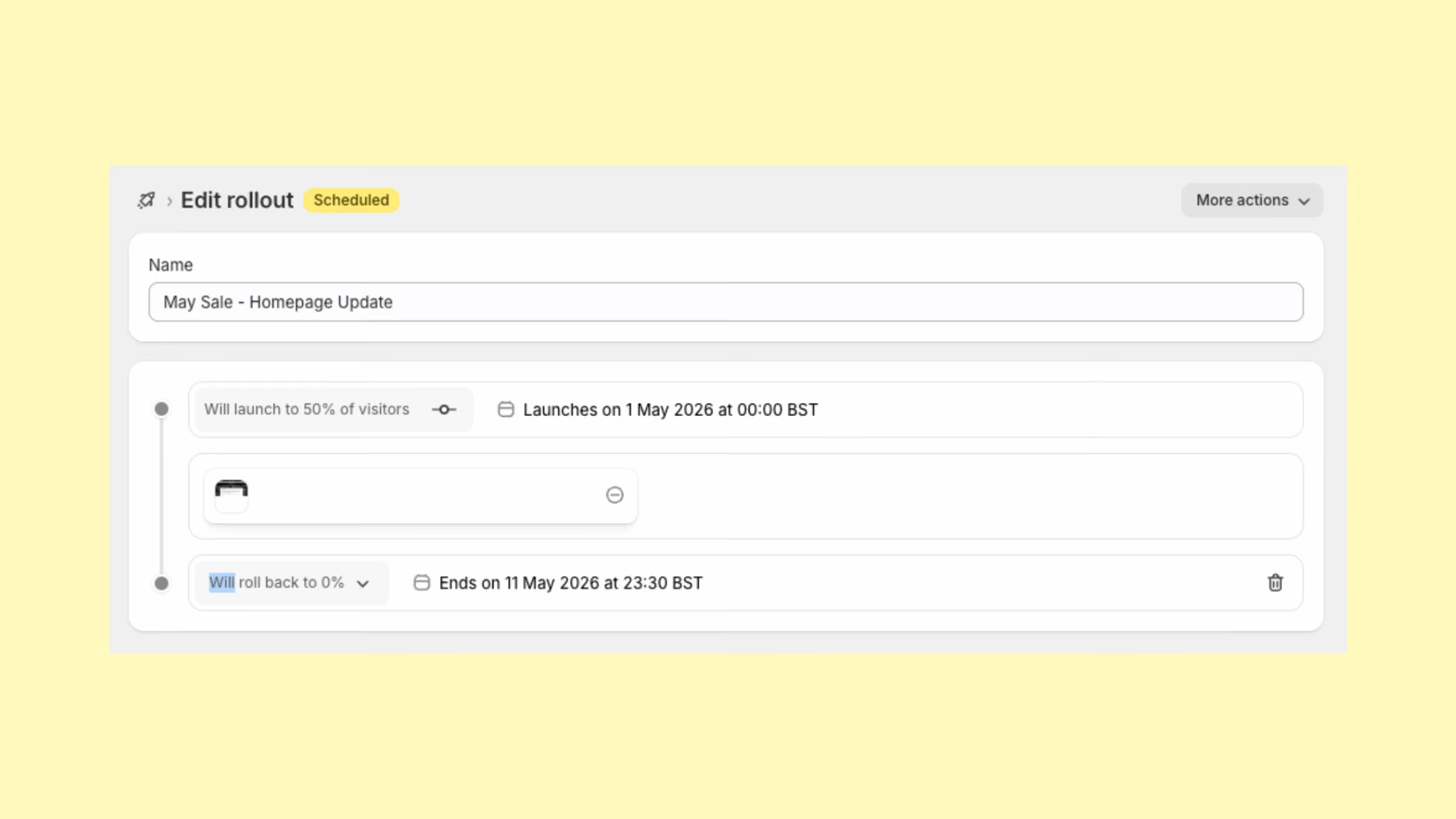
You can create a rollout from within Shopify Admin, give it a name, choose a launch date, optionally add an end date, and then customise the published theme for that rollout. If you are on Advanced or higher, you can adjust the percentage to split traffic between the live experience and the rollout version.
That means Rollouts is not a completely separate theme environment. It works from the published theme and lets you create rollout-specific customisations from there. Areas of the theme that are not customised in a rollout stay synchronised with the published theme.
How to set up a Shopify Rollout
Configuring a Rollout Guide
From your Shopify admin, go to Markets > Rollouts. From here, you can start to configure your rollout using the steps below.
Rollouts can also be used for market-level testing. For brands using Shopify Markets to sell internationally, this means changes can be tested in one specific market without affecting the experience elsewhere.
A merchant could trial a variation in the UK while keeping Europe or Australia unchanged, creating a clear opportunity to optimise for regional preferences with less risk.
Setting Your A/B Split with Shopify Rollouts
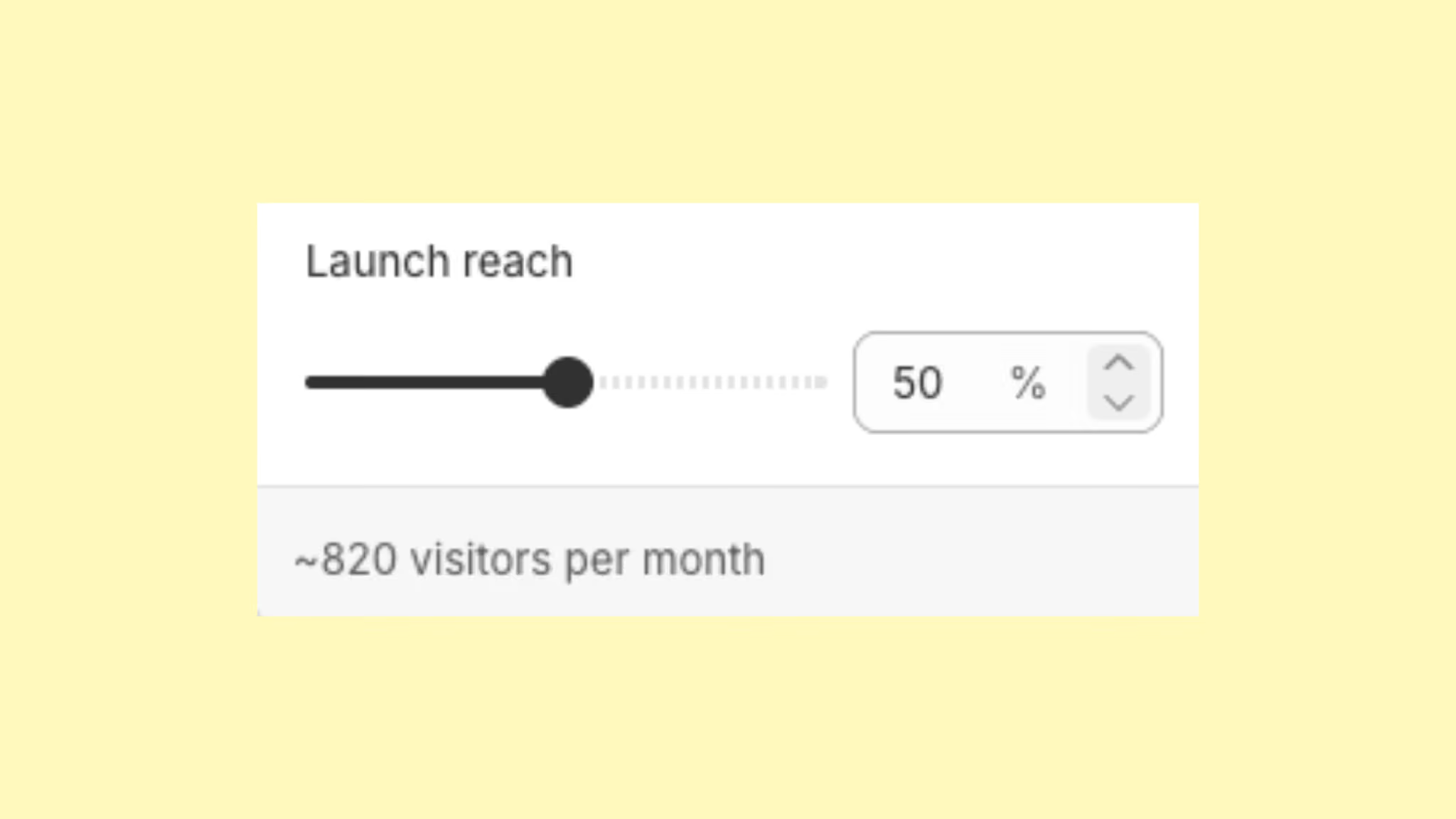
Merchants can also set the traffic split for the test. This decides what share of visitors will see the rollout version and what share will continue seeing the current live experience.
Starting with a smaller percentage is often the safest approach, as it allows teams to spot issues early and build confidence before expanding the test. Shopify also provides estimated visitor volumes, helping merchants judge whether the audience size is large enough to produce useful insight.
Everyone outside the test continues to see the store as normal, while those included remain tied to the same version throughout the experiment. That consistency is essential because reliable testing depends on visitors seeing one experience only, not bouncing between different versions.
While Rollouts can be created and scheduled on any Shopify plan, split testing and analytics require Shopify Advanced or higher.
Making Theme Changes with Shopify Rollouts
Once your Rollout is set up, you can click straight into the theme editor to make the changes. Shopify clearly shows that you are editing the Rollout version rather than the live storefront, which helps prevent accidental changes to the active theme.
From there, the editing process feels familiar, allowing merchants to update content, layout and merchandising as they normally would.
Any changes made only apply to the Rollout experience, so shoppers outside the test continue to see the existing live version until the scheduled launch or test begins.
How to Read Shopify Rollouts Analytics and Test Results
Once a Rollout experiment is live, merchants on higher plans can review performance through the built-in analytics view.
Rollouts focuses on the core commercial metrics that matter most, including conversion rate, average order value and revenue. This gives teams a clearer way to compare how the rollout version is performing against the current live experience.
For example, if a store sends 50% of 120,000 sessions to the rollout and 50% to the live version, each experience would receive around 60,000 sessions. If the live version converts at 2.8% and the rollout converts at 3.2%, that is the difference between roughly 1,680 orders and 1,920 orders from the same amount of traffic.
On the surface, a 0.4 percentage point uplift may look small. In relative terms, though, that is around a 14% increase in conversion rate. For a any Shopify brand, that movement can quickly become commercially significant.
The same applies to average order value.
If the live experience delivers an AOV of £82 and the rollout lifts that to £87, those extra pounds per order begin to compound.
In this example, 1,680 orders at £82 would generate £137,760.
By comparison, 1,920 orders at £87 would generate £167,040.
That is an additional £29,280 from the same overall traffic sample, driven by the combined uplift in conversion rate and AOV.
For brands already trading at scale, this is where controlled testing becomes a way to make better decisions with clearer commercial evidence.
It’s important to take the time to analyse the results and factor in the real-world context into the data. Brands that have already built an A/B testing infrastructure for their eCommerce store will just be able to apply similar processes for reporting on tests.
As Rollouts is still quite new, brands that are new to A/B testing should try to run a few low level tests first and start to build some processes for how they report on the results and how the data is then actioned.
To make the outcome credible, a good A/B test needs enough traffic and enough time behind it.
A store with 500 visits a day running a 50/50 split would send around 250 visitors into each version daily, which means a 14-day test would generate roughly 3,500 visitors per variant.
That gives a far more dependable read than trying to call a winner after just three or four days.
In most cases, it is worth letting the experiment run long enough to capture normal buying patterns across the week rather than reacting to a few early signals. A slightly longer test window will usually give a much clearer picture, especially for stores where traffic and purchasing behaviour vary from one day to the next.
What is Shopify SimGym?
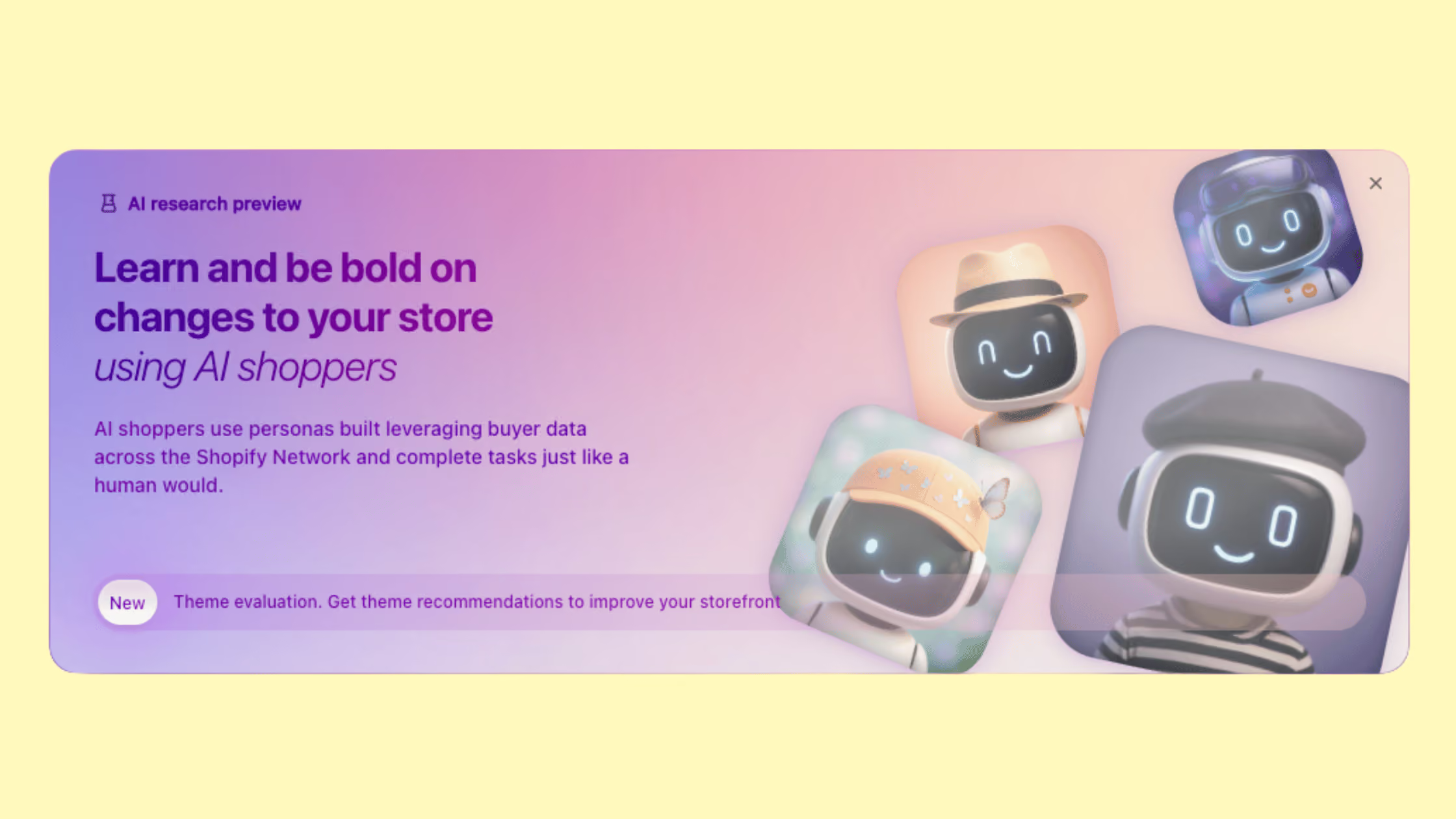
Released as part of Shopify’s Winter Editions ‘26, and linked very closely to Rollouts is Shopify SimGym. A tool that lets merchants simulate shopper behaviour with AI agents that use data from billions of purchases, and get actionable recommendations before going live.
Whilst Rollouts helps you stage and run storefront tests, SimGym helps drive relevant insights to those tests by simulating likely shopper behaviour before launch.
SimGym is a really good tool to test out first hand how your website visitors are likely to react to theme changes you have made. Think of it as taking your new campaign or website change for a test drive before your actual customers see it.
Shopify Rollouts plan requirements
Rollouts are available on the Basic Shopify plan and higher. Splitting visitors between the rollout and the live theme requires Advanced or higher.
- Basic and above can use Rollouts for scheduling and managing theme changes
- Advanced and above can use Rollouts for traffic-split experiments
What Shopify Rollouts can test
Rollouts will cover most theme-level testing that merchants will require. We have listed them below, but you can go to the extent of testing full theme redesigns to compare how an alternative storefront performs against your current store.
Shopify merchants looking to test international storefronts can now run A/B tests per market with Rollouts. Meaning you could test a layout on your USA store whilst the UK storefront stays unchanged.
Here’s a list of what Rollouts can test:
- Homepage layouts
- Navigation structure
- Hero messaging
- Promotional banners
- Collection page presentation
- Campaign-specific storefront updates
- Market-specific theme changes
Shopify Rollouts: Current limitations and future potential
Rollouts are a really useful addition to the platform. Scheduling storefront changes natively within Shopify alone has so many use cases that will support merchants.
Rollouts is strongest for theme-level visual testing and controlled storefront releases, but it does not yet cover every part of a broader experimentation programme.
Brands cannot currently use it to test product pricing, discounts, checkout journeys, post-purchase experiences, app embeds or deeper Liquid template logic. Audience-level targeting is also still limited, so tests cannot be narrowed to specific visitor types such as new customers, returning shoppers or mobile users only.
In its current form, it is a strong first phase for merchants who want a more native way to test and launch theme changes with less risk.
For many brands, that already covers a large share of day-to-day optimisation work. As Shopify continues to develop the feature, there is every chance Rollouts will expand into a much broader testing layer over time.
Shopify Rollouts and server-side tracking
A big part of what makes Rollouts so promising is that it feels far more native than traditional testing setups. Rather than layering extra scripts onto the storefront, it gives merchants a cleaner way to split experiences and measure changes with less technical friction.
Older client-side testing methods can create flicker, script conflicts and performance issues, all of which weaken both the user experience and the reliability of the test itself.
Rollouts starts to provide a better foundation where testing is built more naturally into the platform, with less overhead and more confidence in the result.
Even in this first phase, it makes it a meaningful step forward for Shopify brands taking optimisation seriously.
What Shopify Rollouts is really best for
The best use cases for Rollouts are the ones where a brand wants to test a meaningful storefront change without overcomplicating the process.
That includes:
- Testing a new homepage structure
- Trialling different merchandising priorities
- Rolling out a seasonal campaign safely
- Refining navigation
- Comparing a new collection page approach
- Launching changes in one market before applying them more broadly
For most brands, that is already enough to make Shopify Rollouts valuable. Not every experiment needs to be a complex multi-variable CRO programme.
Often, the highest-value wins come from testing clearer messaging, better information hierarchy and smarter merchandising.
Shopify Rollouts and the wider Shopify direction
Rollouts is also worth looking at as part of a bigger platform trend.
Winter ’26 was full of features aimed at reducing friction and giving merchants more confidence before launching. Rollouts sit alongside SimGym, Sidekick improvements and wider theme tooling as part of that same direction.
Shopify is building more native ways for merchants to test, simulate, improve and launch with less guesswork.
There is also a wider relevance to what agentic commerce means for Shopify brands. As storefronts become easier to test and refine, brands are in a better position to present clearer product data, cleaner journeys and stronger merchandising logic across both traditional storefront visits and AI-assisted discovery paths.
That is not the same thing as saying Rollouts is built for agentic commerce. It is saying that better testing habits support a more adaptable storefront overall.
Not sure where to take your Shopify store next?
From strategy and UX to migrations, integrations and growth marketing, Kubix helps ambitious eCommerce brands cut through the complexity and focus on the steps that will make the biggest difference. Get in touch.
Shopify Rollout FAQs
How do I access Shopify Rollouts?
Rollouts can be accessed within your Shopify Admin. Simply go to Markets and under the dropdown you’ll see the option for Rollouts.
What Shopify Plan do I need to be on for Rollouts?
Shopify Rollouts is available to all Shopify merchants on and above the Basic plan.
What’s the difference between Shopify Rollouts & SimGym?
Rollouts tests changes with real store visitors in a live environment, while SimGym uses AI-generated shopper simulations to predict how a change might perform before it goes live. In simple terms, SimGym is for pre-launch insight, and Rollouts is for live testing and measured results.
Can I run more than one Shopify Rollout at the same time?
Yes, you can run more than one Shopify Rollout at the same time. In practice, though, it is best to manage overlapping tests carefully. If multiple Rollouts affect similar parts of the storefront at once, it becomes much harder to understand which change actually influenced the result.

.png)